Generate landing pages with AI. Edit them like code.
Go from prompt to deployable page in minutes. Micropage gives you structured output you can actually control.
No hidden state. No vendor lock-in. Just files you can edit, version, and deploy anywhere.
Open appSee the tour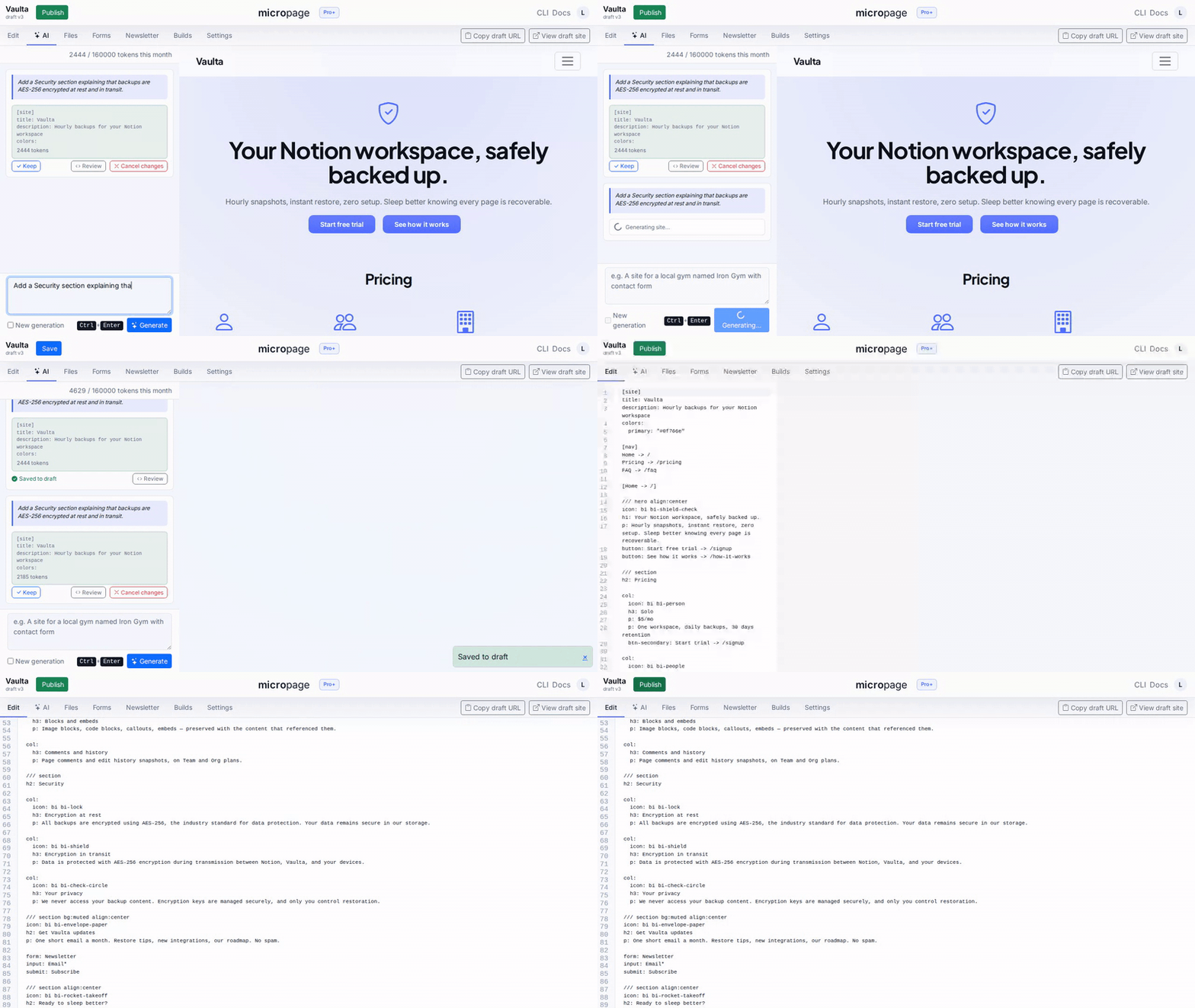
WHAT'S NEW
Newsletter is live
June 2026. Capture subscribers from any page, manage the list in the editor, send broadcasts with a welcome-email flow. Two clicks to turn any form into a newsletter signup.
Better image handling
Resize from markup — img with width and height tokens, no asset pipeline. Unsplash integration for instant placeholders that don't look like placeholders.
Downloadable archives + CI deploys
Every build downloadable as a static .zip. Pro+ adds project-scoped deploy tokens so GitHub Actions can push builds straight from your pipeline.
WHY MICROPAGE
AI-native
Designed for AI generation from the start. Prompt it, get structured output, then keep full control.
No lock-in
Your project is just files. No exports. No migrations. No rebuilding from scratch later.
CLI-first
Works like a developer tool, not a visual builder. Keep everything in text, Git, and your normal workflow.
BUILT FOR AI AGENTS
Designed for agents to author, not just humans
Most builders give an AI too much rope: blank canvas, free-form HTML, infinite components. The agent invents weird structure, you spend hours cleaning up.
The Micropage markup is intentionally small. Fixed element vocabulary. Predictable section blocks. Constrained colors and typography. Small enough that Claude or GPT generate it correctly first try — and small enough they can edit an existing page without breaking it.
What this unlocks
Generate a landing page from a single prompt.
Iterate on copy, layout, or CTAs without opening a builder.
A/B test variants from text-only diffs.
Run an agent in CI that updates your site from a Notion doc, a Google Sheet, or a database.
Every project ships with a PROJECT_AGENT.md so your assistant has the context it needs.
See it in actionHOW IT WORKS
1. Prompt or write
Start with AI or write Micropage syntax yourself. Both paths lead to the same editable output.
2. Preview and adjust
Review the generated page, tweak the content or structure, and keep full control over the result.
3. Deploy and collect data
Publish static output, connect a domain, and capture real submissions without builder overhead.
Builders are optimized for non-devs
You drag blocks instead of shipping.
Your site lives inside someone else’s system.
Exporting is limited, awkward, or missing entirely.
And when you need more control, you rebuild the whole thing anyway.
Micropage flips that model
AI gives you the starting point.
Structured syntax gives you control.
Static output gives you portability.
The result is faster to launch now and easier to live with later.
USE CASES
Validate a new SaaS
Generate a landing page fast, publish it, and collect demand before you overbuild the product.
Generate pages with AI
Use Micropage as structured output for prompts, agents, internal tools, and repeatable workflows.
Avoid builder lock-in
Keep sites as files you can version, export, and deploy on your own terms.
Launch client pages faster
Reuse patterns, generate drafts quickly, and ship structured pages without starting from zero each time.
PRICING
Cheaper than one month of most builders. With more control after generation.
Free
Try it. Prove it works.
$0
1 project, 25MB assets, 100 form submissions
Micropage subdomain only; “Built with Micropage” branding
Pro
Most popular
Launch real sites
$6/mo · $49/year (save vs monthly)
Custom domains, CSV export, and 1,000 submissions/month
Includes 5 projects
Pro+
Scale and operate
$12/mo · $96/year (save vs monthly)
Priority build queue and 10,000 submissions/month
Includes 20 projects